
Napa County VINE Participation
Napa's Napa County VINE page is the county's own word on the matter. It states plainly that VINE covers people incarcerated in the Napa County Department of Corrections. It calls the service free and anonymous. It gives 877-331-8463 for phone information and registration. That is direct confirmation of Napa DOC participation. It says nothing about other jails or prisons across California.
VINE is built around custody status and notification, not around public booking data. For that, CJNet remains Napa's primary text source on bookings and who is in custody. A VINELink result can confirm participating county custody. It can also start the notification workflow. Napa does not promise it reproduces every CJNet field or shows a booking photograph. The same official county instructions walk through both online and telephone access.
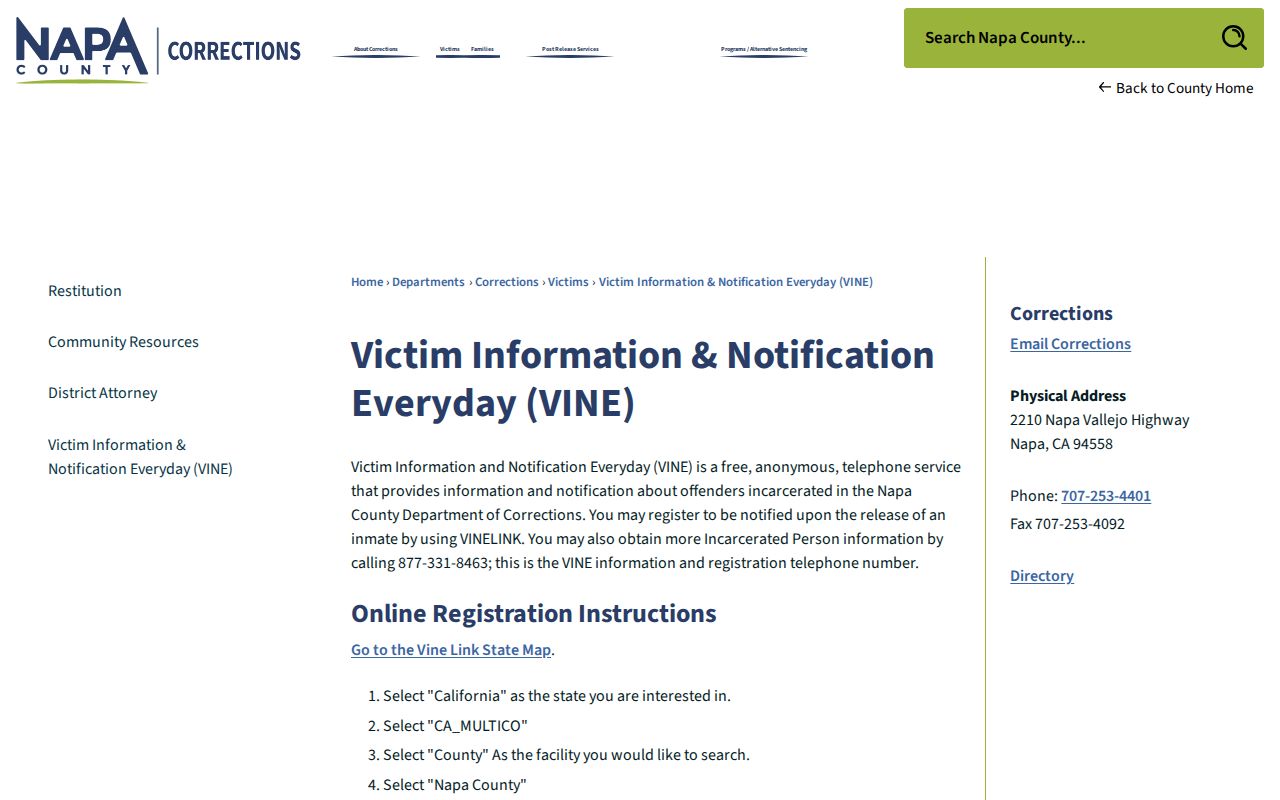
This county page covers Napa VINE participation. It stays current. The Napa VINE phone number is listed there too, making it a reliable reference.
Check a Napa Arrest on VINELink
The documented online path runs through the California multi-county deployment labeled CA_MULTICO. That middle step is where people slip. Selecting California alone is not enough. A statewide prison result is not the same service at all.
- Open the official VINELink state map.
- Select California.
- Choose the California multi-county deployment shown as
CA_MULTICO. - Select Napa County as the county or facility.
- Enter the person's last name and first name or first initial. Use DOB or the age-range refinement when available.
- Run the search and compare each result carefully. A name match alone does not establish identity.
- Open the correct detail view to review custody information or continue to notification registration.
Search results live or die on the name you type. Spelling, aliases, initials, and slow data entry after a recent arrest can all throw off a match. Use only known identifiers and the documented name format. Avoid widening a search until an unrelated person's arrest record merely looks close. The Napa County recent arrests hub shows how CJNet booking numbers, dates, and physical details make a match safer. The VINELink interface is the online entry point. You reach it after selecting the right state deployment.
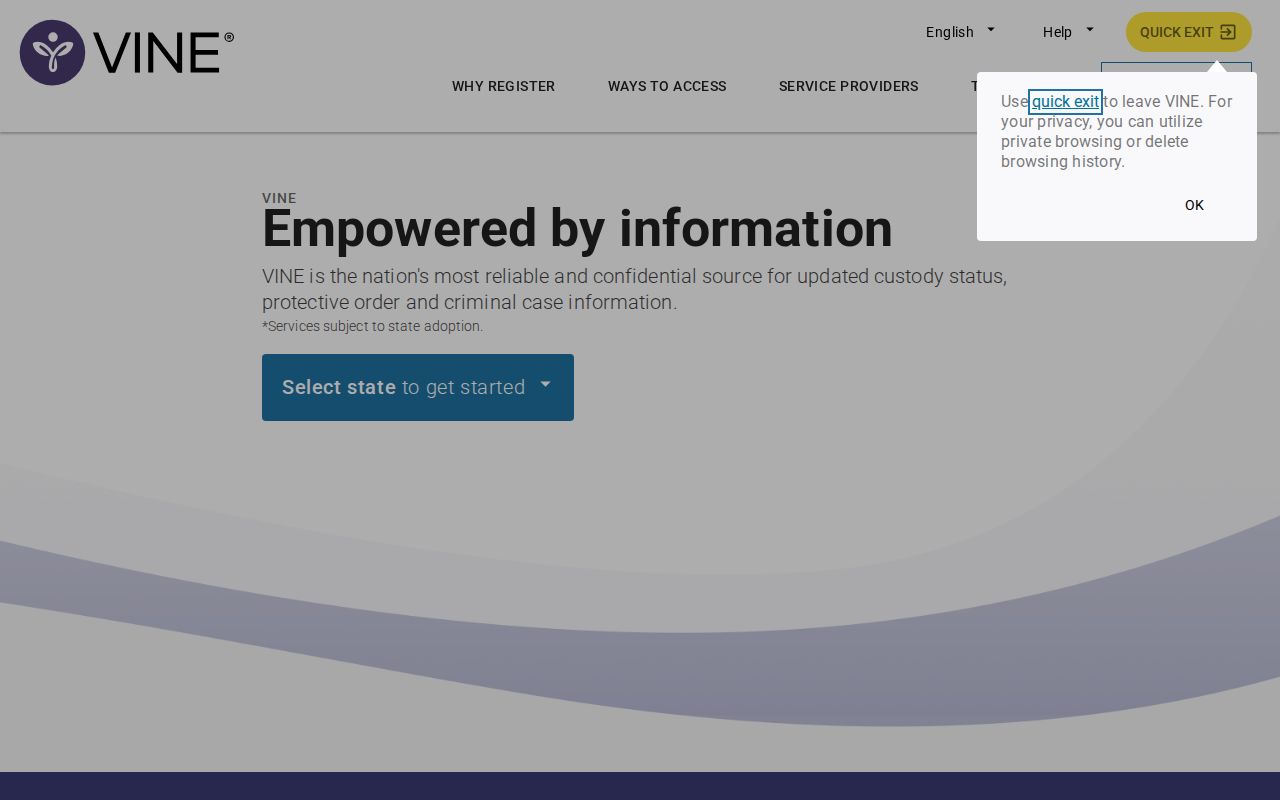
Screen layouts on the live site can shift without notice. A button may move or get renamed. That is why the sequence matters more than placement. California, then the multi-county deployment, then Napa County.
What a Napa VINE Result Means
A VINE result is not an arrest-history search. Think of it as custody information supplied at one point in time. Whatever it fails to answer has its own official system. Route each question to the one built for it.
| Result element | Proper interpretation |
|---|---|
| Person match | A candidate match based on entered name and refinements. Confirm with DOB, age range, or another known identifier. |
| Custody status | Indicates reported custody within the participating Napa County system, subject to data timing. |
| County or facility | Confirms that the selected result belongs to Napa County DOC rather than another California deployment. |
| Detail view | Provides the point from which Napa's instructions say to select “Continue” under “Register for Notification.” |
| Custody change | A release or other reportable status change may trigger a registered notification, but should still be verified. |
| Booking details or photo | Not guaranteed by Napa's VINE instructions. Use CJNet and the responsible records custodian for booking-record questions. |
The table answers one question only. It shows custody details at the moment they were supplied. Case outcomes live elsewhere, in court records. Keep those worlds separate when you read a result.
Register for Napa Custody Alerts
Napa County documents a phone-and-PIN registration flow. The instructions promise no email sign-up. Use email only if the live interface happens to offer it. The telephone line handles information and registration too.
- Confirm that the detail view is the correct person and Napa County record.
- Select “Continue” under “Register for Notification.”
- Enter the phone number at which custody notifications should arrive.
- Create the requested PIN and retain it privately. The PIN helps confirm receipt when the automated system calls.
- Complete the remaining prompts and look for the successful-registration message.
- Alternatively, call Napa VINE at 877-331-8463 and follow the telephone registration prompts.
- When an alert arrives, do not depend on it as the only safety or custody confirmation. Verify with the responsible agency.
Alerts matter most when repeated roster checks would be impractical. They are not a guarantee. Notification may arrive without advance warning, cannot replace an emergency plan, and cannot say where a person goes after release. Where personal safety is at stake, follow law enforcement or a victim-services professional rather than an automated message alone.
Registration attaches to one specific record. Run the identity check again before submitting a number. Keep the confirmation and the VINE phone number handy. A browser session ending does not mean the registration succeeded. If several people share the name, go back and narrow the search instead of registering against an uncertain match.
VINELink Limits After an Arrest
Napa VINE covers one thing: custody in Napa County DOC. It does not cover a stop that never becomes a county-jail booking, a release before any record is added, CDCR state-prison custody, federal Bureau of Prisons custody, ICE detention, or a U.S. Marshals holding arrangement. Napa's participation implies nothing about federal VINE coverage.
Other systems answer those questions. State prison goes to the CDCR CIRIS search. Federal custody belongs in the BOP inmate locator, and immigration detention in the ICE detainee locator. Each tracks a different legal and custody state. An empty Napa VINE result never means a person is free or was never arrested.
The CJNet In Custody Report provides Napa's official public current-state table.
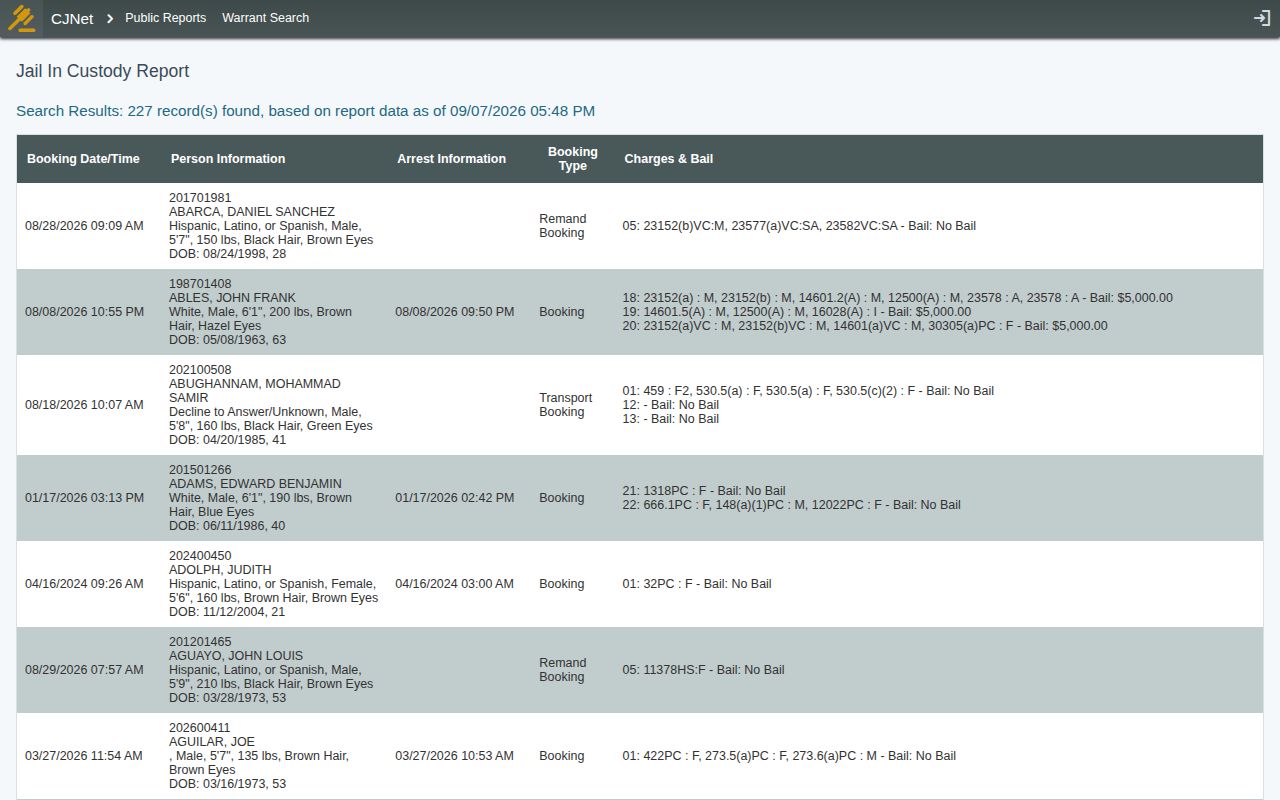
The roster and VINELink do different jobs side by side. One is a public county table of arrests and bookings. The other backs a notification registration for a specific person. Used together, they cover more ground than either alone.
VINE, CJNet, and Local Alerts
Napa County runs three separate systems, and each one answers a different question. CJNet is the county's booking tool. It lists who was booked, who is in custody now, and who was recently released. VINE works differently. It tracks one person and alerts you when that custody status changes. Alert Napa County covers the widest ground. It sends community notices about emergencies, police activity, crashes, and road closures.
None of these is a full substitute for the others. Alert Napa County is not an arrest roster. It does not promise a notice for every booking. The county offers no official jail-lookup app and no Sheriff booking-photo app either. The supported booking source is the browser-based CJNet application. So treat any app claiming to be a Napa jail roster with caution. Check it against napacounty.gov first. Never hand over personal details or turn on notifications before that check.
Match the tool to the question. VINE answers "tell me if this person leaves custody." CJNet answers the booking row. It also covers current county custody or a recent release. Alert Napa County fits broader public-safety news. Keep those jobs distinct. That spares you from waiting on a community alert that was never built to announce one person's release.
Confirm Napa Custody Notifications
When VINE calls, write down the time and the exact wording. Do the same whenever the online result changes. Then confirm with Napa County Corrections at 707-253-4401 or the receiving agency involved. A transfer can move a person past Napa VINE's local reach. And remember that a release message reports a custody change, not a court result and not always a destination.
For the paper trail itself, call the Napa County Sheriff Records Bureau at 707-253-4440. That office handles booking records and official Sheriff records. Give the person's full name. Include a DOB when useful, the booking number if you have it, the rough booking date, and the record type you want. Neither VINE nor CJNet promises a booking photograph. Napa's Corrections policy governs photo requests and treats release as discretionary.
Mismatches happen. If CJNet still lists the person but VINELink cannot find them, check the settings. Confirm that California, CA_MULTICO, and Napa County are all selected. Then call Corrections. If VINE reports a change while CJNet shows the old status, note both timestamps. Then ask the agency which one is current. The systems update on different schedules.
Note: Identity and current status should always be confirmed with the government agency that originates the record.