
Napa Arrests in the Last 24 Hours
One official page does most of the work here. The CJNet Booking Report lists people booked today once their details reach the public system. Napa County labels it a "past week" report. It is not a true 24-hour endpoint. Sort by the newest booking dates for the same-day slice, keeping the wider source window in mind.
Arrest time and booking time are not the same thing. An officer can make the arrest first. The Napa County Department of Corrections finishes intake later, then enters the record. That gap shows up inside each row. Transport and remand bookings sometimes carry no visible arrest time at all. So the table catches newly processed bookings, not every law-enforcement encounter inside a clock-defined day.
The report also splits record creation from current custody. A fresh booking row can linger after the person walks free. Two other views answer that. The In Custody Report shows who is presently held. The Release Report covers releases from the past week. Comparing all three helps. A missing roster row then stops reading as proof no arrest happened.
The official Napa County booking screen shows the rolling report. The layout is plain text. That is why the report timestamp, not any headline, defines what has posted.
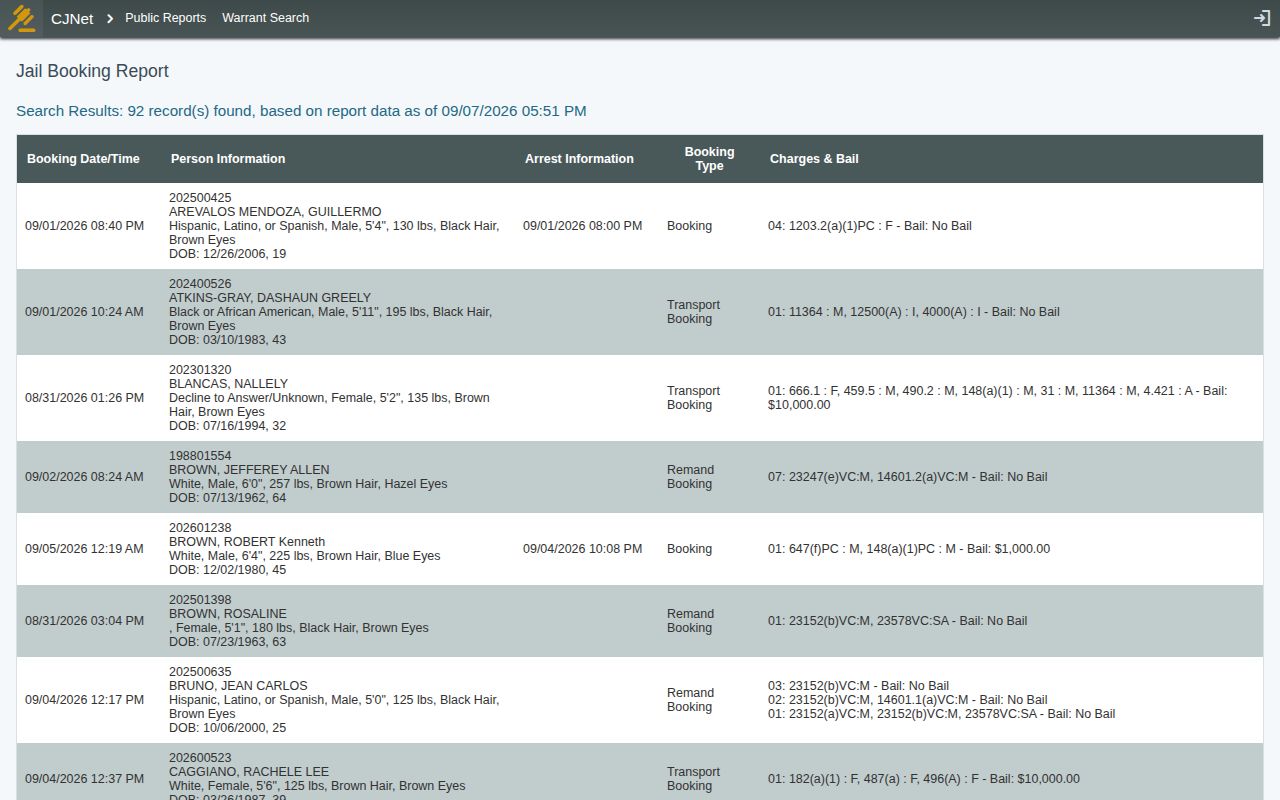
The county keeps this report plain. Columns of text run across the page with no images to scan. That format is actually helpful. The timestamp on the data, rather than any title, tells you exactly what has posted so far.
Check Who Was Arrested Today
Order matters when you check. Start with the county source before branching out to anything else. The official page answers most same-day questions on its own. Keep three records straight: booking, custody, release. That prevents avoidable confusion.
- Open the official CJNet Booking Report and note its “data as of” date and time.
- Scan the Booking Date/Time column for today and the preceding 24 hours. Do not treat older visible rows as same-day arrests merely because they remain in the past-week table.
- Match the name with a second detail such as booking number, date of birth or age, booking time, physical description, or charge string. Similar names are not enough.
- Read Arrest Information and Booking Type. A standard booking, transport booking, and remand booking do not necessarily describe the same path into custody.
- Open the In Custody Report when the question is whether the person remains at Napa County DOC. Check the Release Report if a fresh booking no longer appears among people currently held.
- If the expected arrest is newer than the report timestamp, wait for intake and a later report refresh. For an urgent custody question, call Napa County Corrections at 707-253-4401.
- For a document rather than a status check, contact the Napa County Sheriff Records Bureau at 707-253-4440 or use the county records-request route described on the Napa County recent arrests hub.
The official In Custody Report answers the question directly. It lists everyone held now. The booking date does not matter there. Present custody is what it tracks.
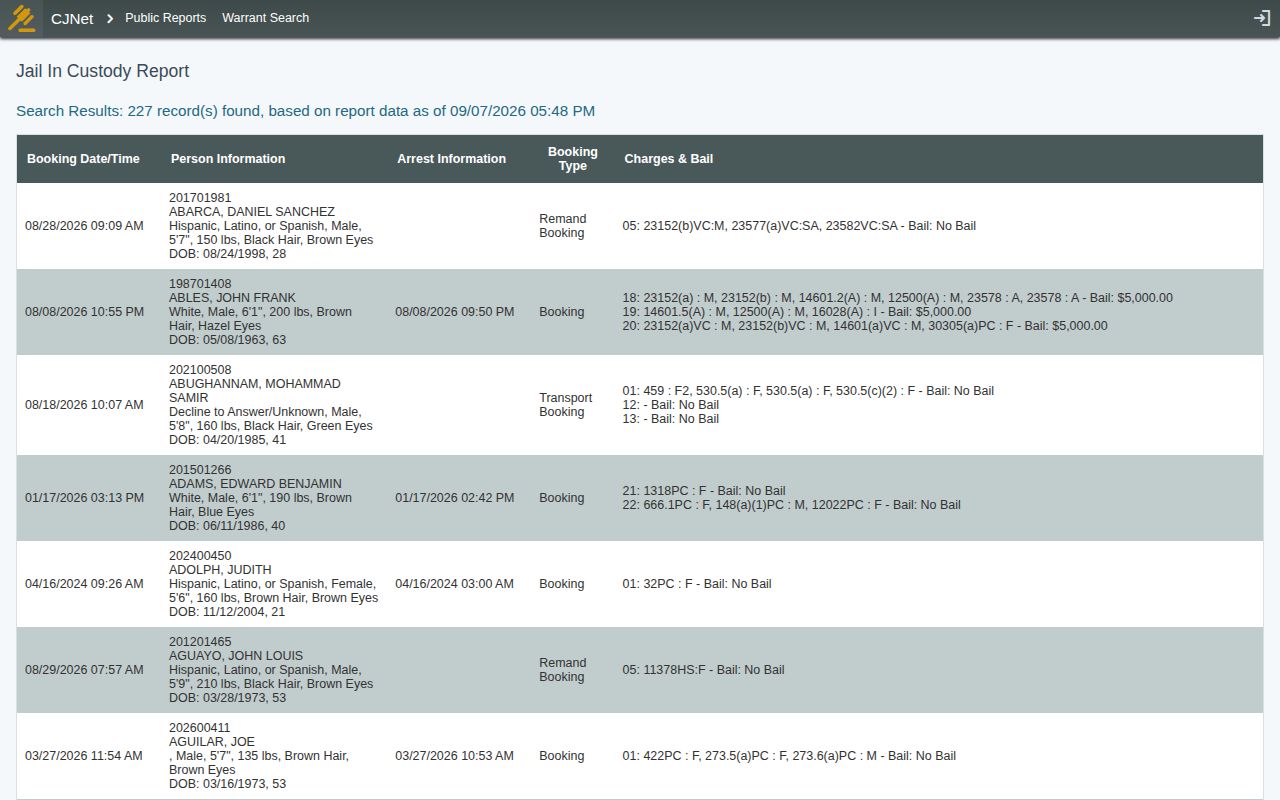
One quirk of this view: older bookings stay listed. People held from days ago still appear. They mix in with fresh arrests. A person released an hour ago may drop off entirely. Their booking row from earlier in the week remains visible in the other window, though.
Fields in Napa's Fresh Arrest Rows
CJNet packs several facts into broad columns. Names, dates, charges, and bail amounts all sit in shared fields. Read each one as intake data. A field describes what officers entered at booking, nothing more about how a case ends.
| Report field | How to use it |
|---|---|
| Booking Date/Time | Places the jail intake event in the rolling week and identifies the newest same-day rows. |
| Person Information | May include name, booking identifier, race or ethnicity, sex, height, weight, hair, eyes, date of birth, and age. Use more than a name to distinguish people. |
| Arrest Information | May show the arrest date and time or related arrest details. It can be blank for some transport or remand entries. |
| Booking Type | Distinguishes a booking from a transport booking or remand booking, an important limitation when counting arrests. |
| Charges & Bail | Lists booking-level code or statute, severity markers, and bail information. Charges and bail can change after intake. |
| Photograph | No photograph, thumbnail, or photo link appeared in the public report reviewed for the research. |
A blank photo box tells you little. Napa County policy bars booking photographs from automatic release. Approval must come from the Corrections Director or Administrative Lieutenant, and only while the person remains in custody. So an image is a discretionary records request, never something this page hosts or re-publishes.
When a New Arrest Is Missing
Napa runs no labeled same-day feed. So a missing arrest needs a quick timeline check. Compare the current time with the report's data timestamp first, since intake may still be underway. The public report may simply lag. Waiting and rechecking beats treating one absence as final.
Next, work the two companion views. The In Custody Report gives present jail status; the Release Report flags a recent departure. The broader Napa County arrest log explains reading every row in the published week. For one person's ongoing status plus release or transfer alerts, the VINELink custody check fits best, though it is a notification service, not a booking record substitute.
Corrections answers immediate custody questions at 707-253-4401. Booking records themselves live with the Sheriff Records Bureau. That unit sits at 1535 Airport Boulevard, 2nd Floor, Napa, CA 94559, and answers 707-253-4440. Counter hours run Monday through Friday, 8 a.m. to 5 p.m., though staffing continues around the clock. Give the full name, plus birth date if known. Add the approximate booking date and time, arresting agency, and booking number when available. Say whether you want the booking record, a policy-controlled photo, or both, and request a fee estimate plus the cited basis for any withholding.
The official Records Bureau page identifies the unit that stores and retrieves Napa County booking records. That is the paper fallback. Corrections remains the better call for confirmation right now.
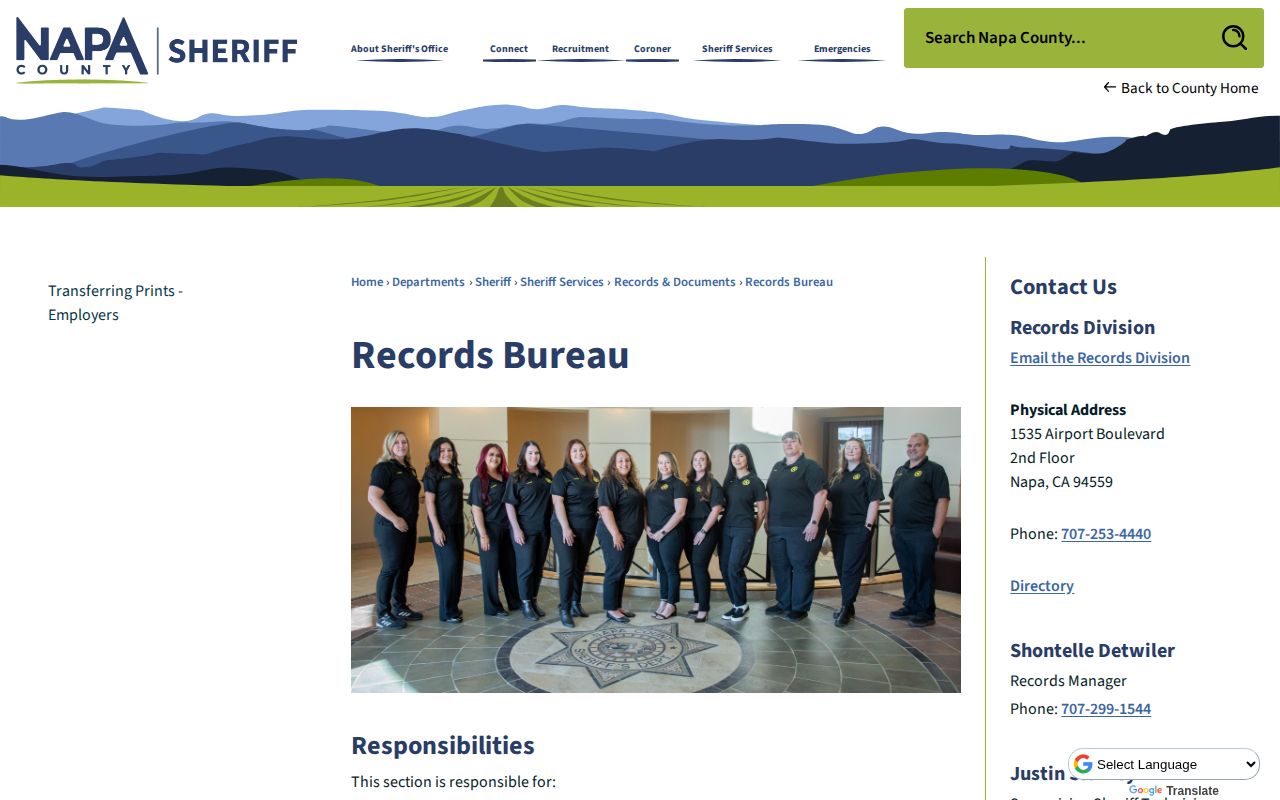
The bureau stays useful as a paper trail. Live tables come first, though. Corrections handles urgent custody checks. That call beats any document when time is short.
An Arrest Is Not a Conviction
A CJNet row is a booking snapshot. Cases move afterward, though. Charges can drop, shift to a plea, end in diversion, or vanish by dismissal. Bail amounts change too. Treat the first public entry as a starting point, since the file can look quite different weeks later.
Booking Reports Are Browser Based
Napa County handles booking records through a browser tool, not an app. Corrections and the Sheriff's office publish no mobile app for routine booking data or photos. Their public system is CJNet, built for the web. Anyone selling a county roster app under Napa's name deserves a skeptical eye. Check where a service links back to. It should be napacounty.gov or the official CJNet domain.
Emergency alerts are a different animal. Alert Napa County pushes safety notices, selected police activity, crash alerts, and road closures. It is not an arrest feed, and it carries no booking photos. For person-specific custody updates, VINELink fills that role instead. During a fast-moving incident, the distinction matters. A safety notice can go out hours before anyone is booked. Some calls never end in a jail admission at all. Treat each tool as covering one job rather than blending them together.